ZAM MycoBrain Display
A 3.5" touch screen for the ZAM MycoBrain, the ESP32 board that monitors the growing chambers at Fungarium. The read-only version works and is deployed in the lab.
| Display | EA RaZeroTFT 3.5", 480×320, capacitive touch |
| Computer | Raspberry Pi Zero W (2.4 GHz Wi-Fi only) |
| Software | Python, Pillow, numpy, pytest |
| Built with | Claude Code |
Where it stands. The display is read-only and has been deployed in the Fungarium lab. It also shows the dust sensor (PM2.5 and PM10) and the history graphs on the real screen, now in the printed enclosure. The firmware now builds from the command line with per-site settings. Editing limits and switching actuators are waiting for the customer's answers on fail-safe behaviour.
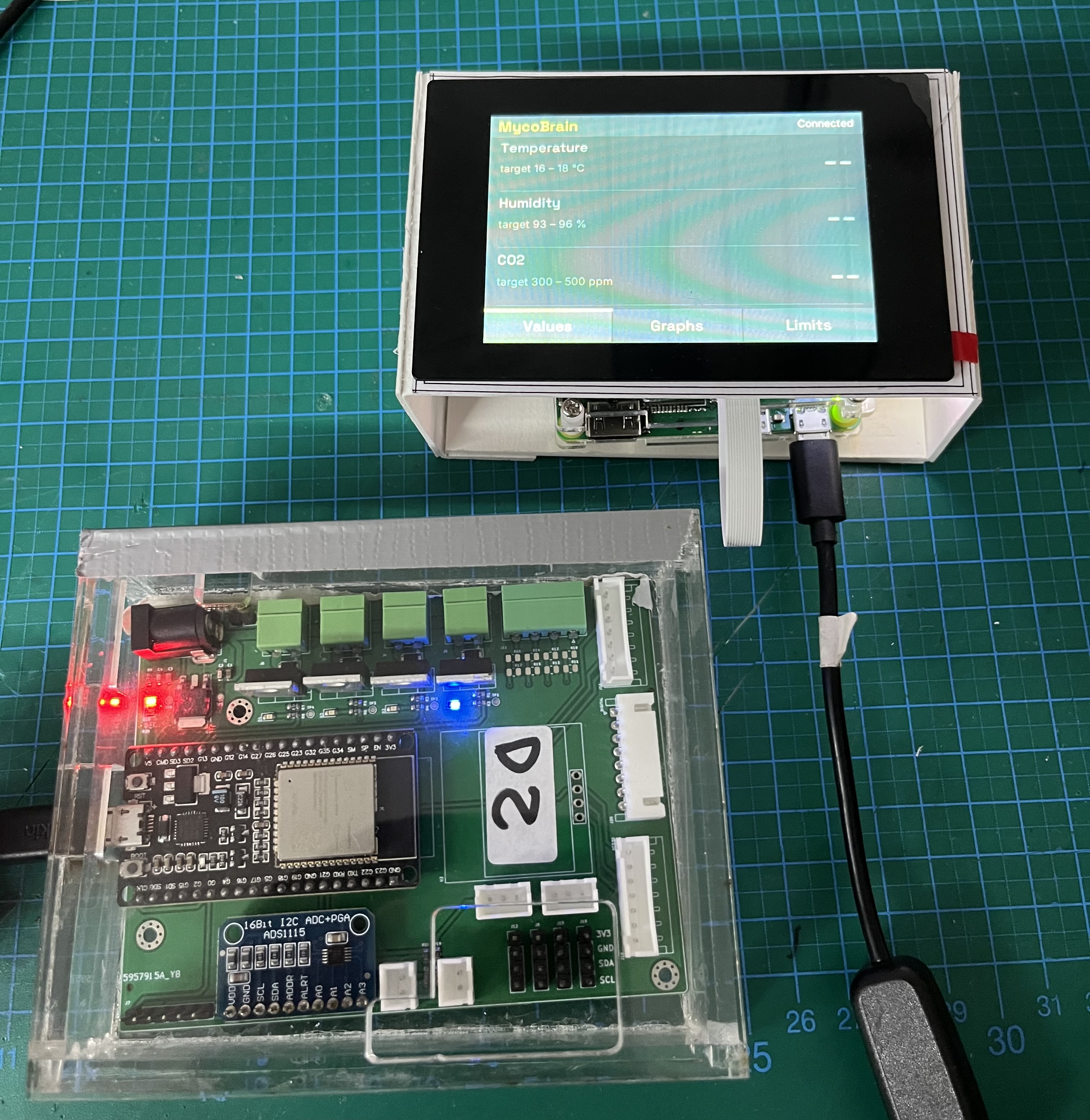
On the bench: the MycoBrain board (ESP32 and ADS1115 on the carrier PCB) next to the display showing the Values page. The dashes mean the board has not reported a reading yet.
Why this project
I was asked to attach a screen to the ZAM_Mycobrain project. The board has several I/O lines for environmental monitoring and serves its own web page, but nothing at the chamber itself. I had an EA RaZeroTFT kit from Embedded World in Nuremberg, a 3.5" TFT with an adapter for the Raspberry Pi Zero, so that became the hardware.
The plan was to start with something trivial on the display, then find out what the firmware already offers over REST, and only then decide which endpoints to add.
How it went
1. Hello World that follows your finger
The first stage was a "Hello World" that moves to wherever the screen is touched. The code is a small Python package: framebuffer.py writes RGB565 to the TFT, touch.py parses the Goodix GT911 events and maps the portrait panel onto the landscape display, and app.py holds state and rendering. Logic that does not need hardware is covered by pytest on the dev machine, and scripts/deploy.sh syncs to the Pi.
Touch did not work at first. The kit's crontab ran EA's DisplayTest and the backlight program at boot, and touch seemed to depend on one of them. The backlight program was kept and later moved to systemd (see boot time below).
2. Read the firmware before writing the client
Claude Code was asked to propose a REST contract and the client first. Because the ESP32 source lives in another repository, a second session reviewed it read-only and wrote REST_API_FINDINGS.md. A third document, api.md, is the draft /api/v1 contract written from the display's point of view. The findings that mattered most:
| Topic | What the firmware review found |
|---|---|
| Sensors | SCD30 (CO₂, temperature, humidity) and a BMP280 are enabled. One sample per minute. |
| Outputs | Four MOSFET channels and one relay, plain GPIO. Automation code exists but every actuation line is commented out. |
| Web server | ESPAsyncWebServer. JSON already exists at /api/status and /api/history. Thresholds are set by a form-encoded POST. |
| Network | DHCP, no mDNS, Wi-Fi credentials compiled into the firmware. |
| Security | No authentication on any route. Secrets are in the source. |
| Safety | No maximum on-time, no fail-safe state. GPIO12 and GPIO15 are ESP32 strapping pins and need checking on the board. MOSFET 1 is forced on at start-up. |
The draft /api/v1 adds sensors with age and validity, outputs with a per-output lease (the firmware turns an output off itself when the lease runs out, so a vanished display cannot leave a pump running), and validated thresholds. All of it is marked as pending customer confirmation.
3. The real device only speaks the old API
Once a MycoBrain was running in the lab, read-only requests showed that it serves only the original routes. Every /api/v1/* request returns 404. The client now probes /api/v1/info and falls back to a LegacyClient for /api/status and /api/history. Two details came from the live device:
- A sensor that has produced no value is reported as
0. If temperature, humidity and CO₂ are all exactly 0 the display shows "--" instead of presenting it as a measurement. - History timestamps are milliseconds since boot, and the firmware builds the reply in a fixed 8 KB buffer, so a long history can arrive truncated. The Graphs page shows "History unavailable" in that case.
A single scrolling screen does not suit 480×320, so the dashboard became pages with a bottom tab bar.
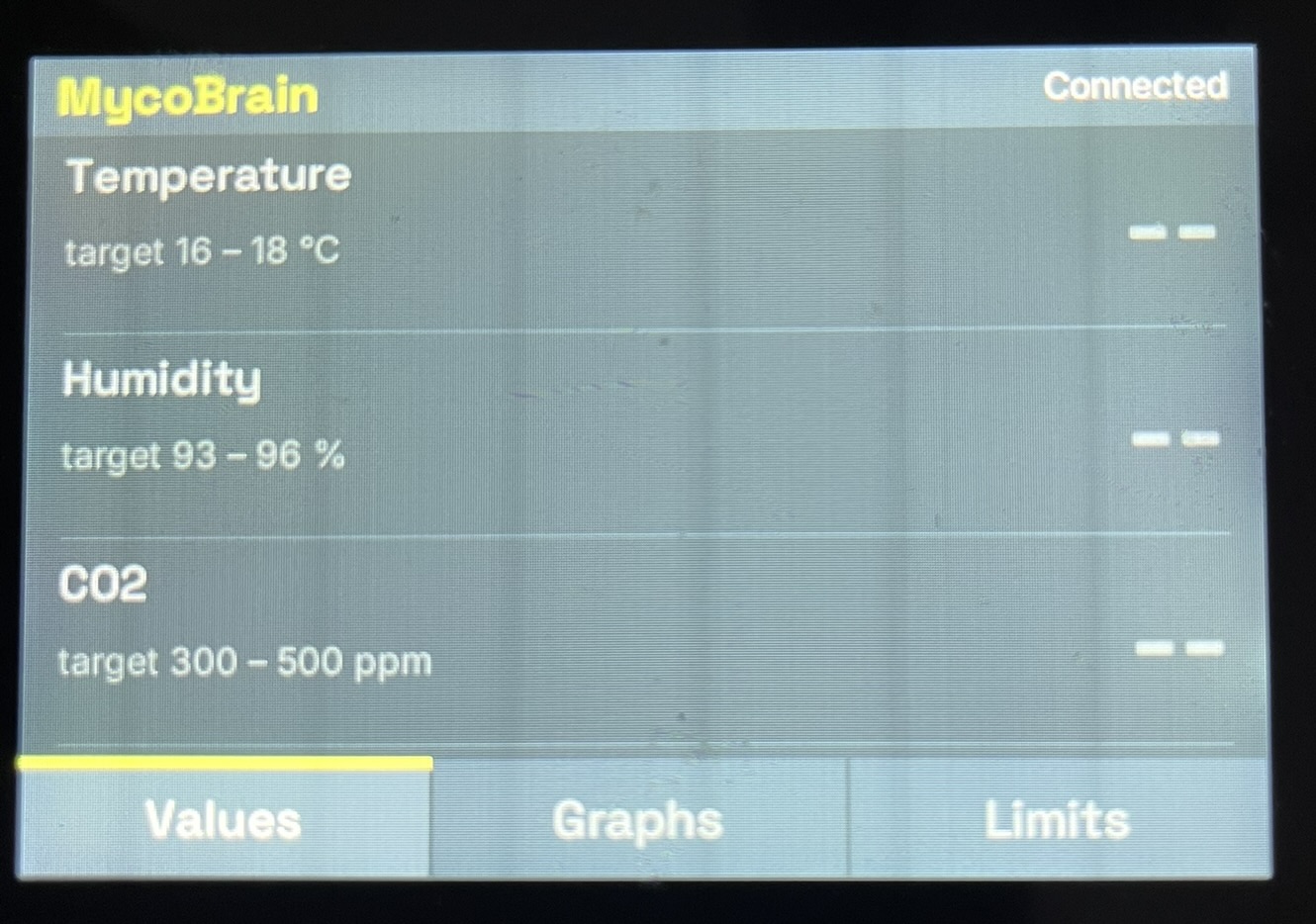
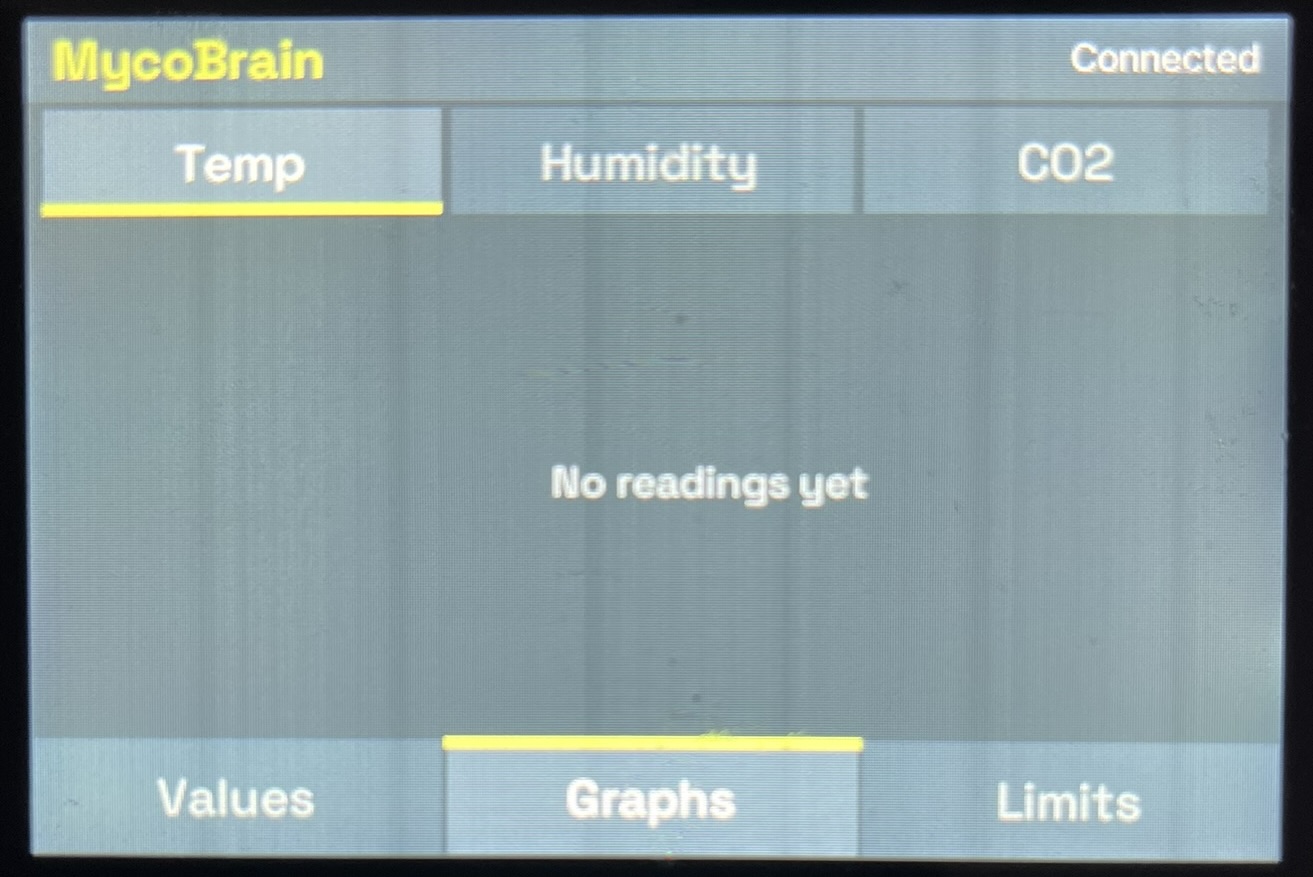
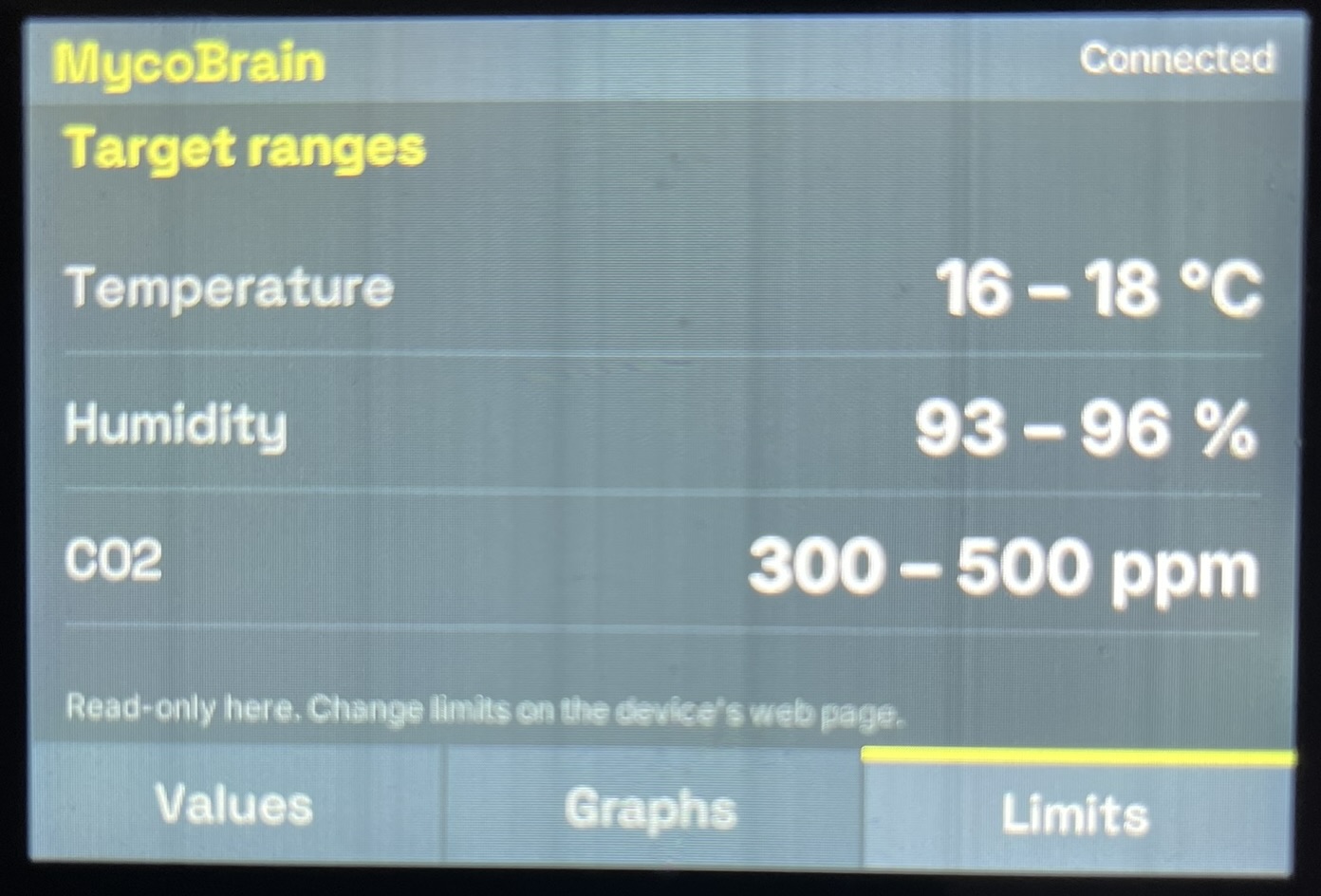
Values: each reading with its target range. Out of range is shown in amber, and an invalid reading as "--".
Graphs: a Temp / Humidity / CO₂ selector over one history chart. Shown here before the first reading arrived.
Limits: target ranges from the device, read-only. Changes are made on the device's own web page.
An Outputs page exists in the code but only appears when the firmware offers the /api/v1 outputs API, so against today's firmware it is hidden.
4. Closing the loop with a webcam
Claude Code cannot see the display, so a webcam looks at it. scripts/capture.sh runs capture_cam.py through the Windows Python and OpenCV. It asks the camera for 1920×1080, sets the exposure by hand (default -7), lets the camera settle for five seconds and keeps the last frame in .capture/. Claude Code then reads the photo to judge legibility, layout and whether anything needs scrolling. A lit screen fools auto-exposure into washing out colours, which is why the exposure is fixed. The result is that layout decisions can be checked against the real panel, not only against Claude Code's own rendering.
A second script, capture_burst.py, saves a frame roughly every 0.4 seconds for a set time and puts the elapsed seconds in each file name. That is how the Pi's reboot was timed (section 5).
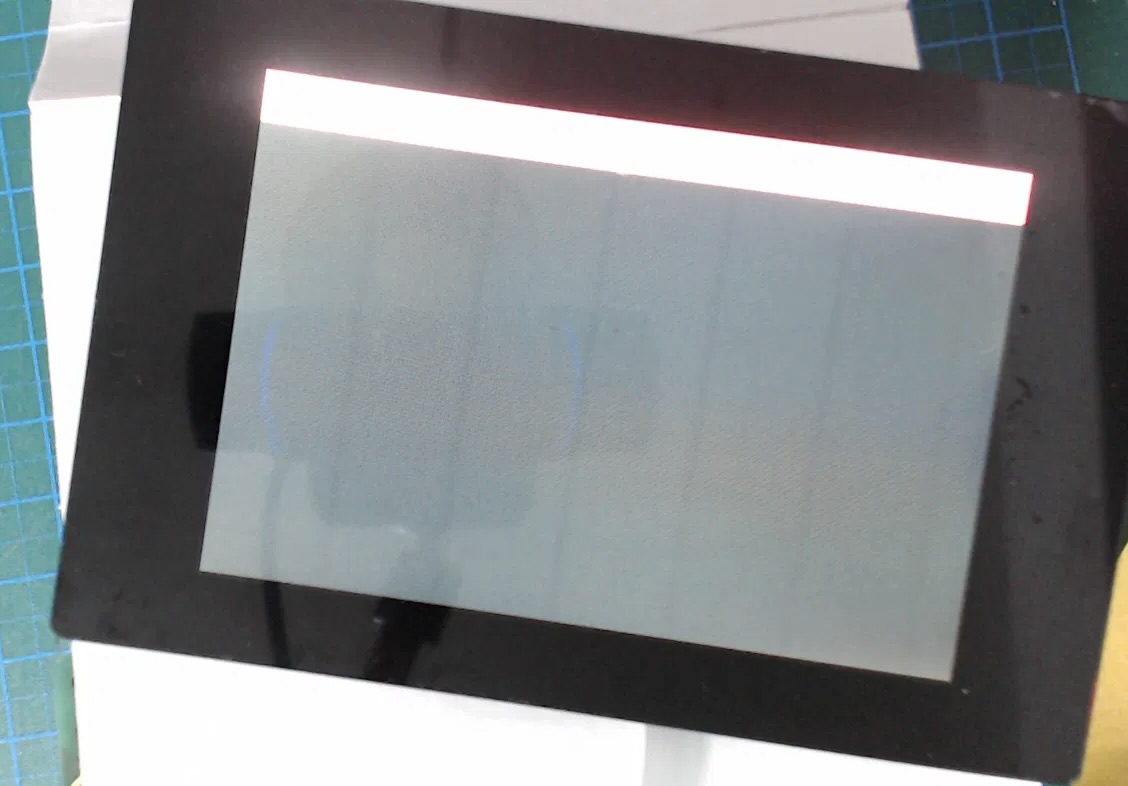
An early test frame. The panel is lit but nothing on it can be read, which is the problem the manual exposure setting addresses.
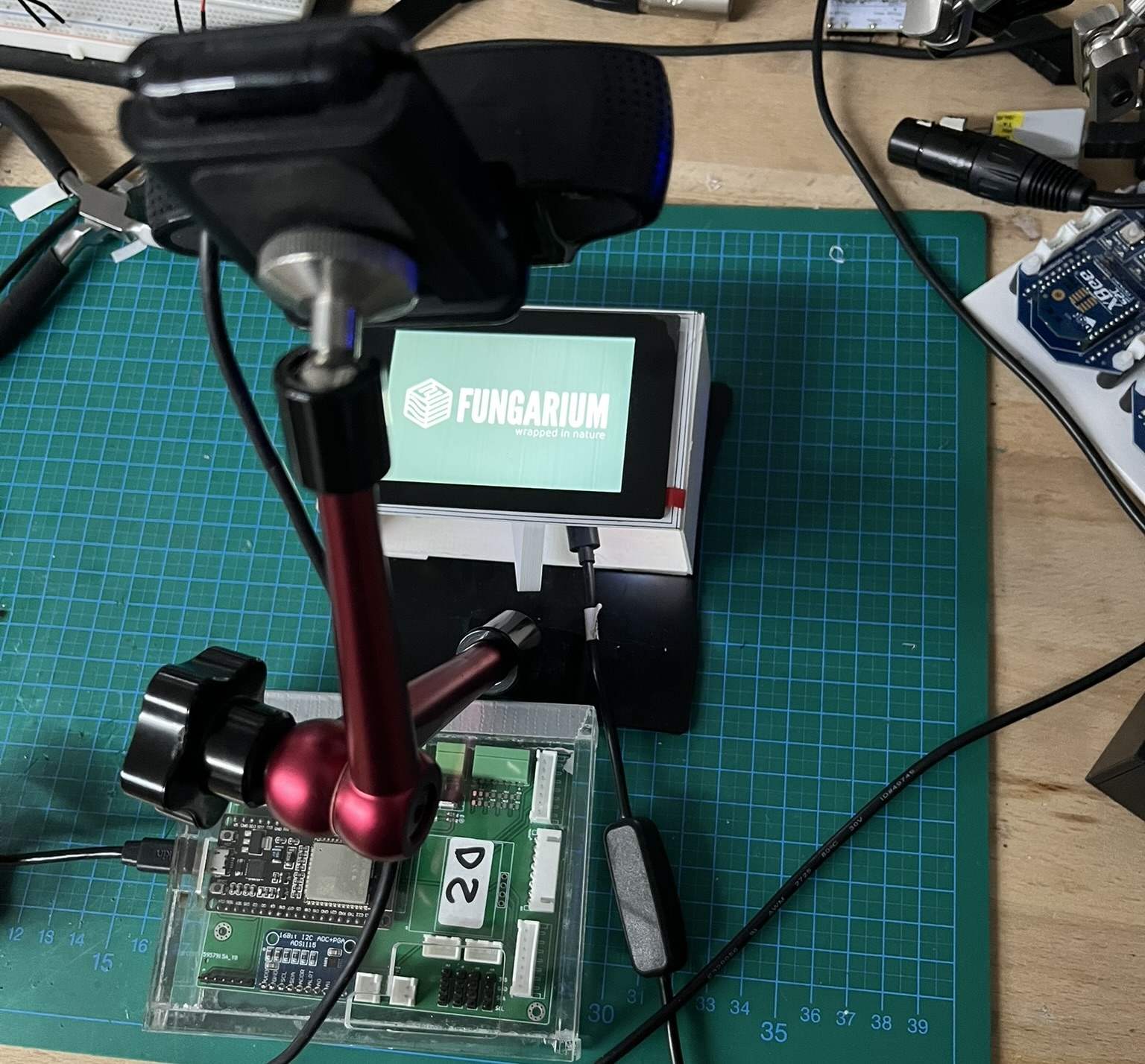
The test rig: a webcam on an articulated arm looking at the display, which is showing the Fungarium splash.
The same pages can also be rendered straight to an image on the dev machine, without the Pi. This contact sheet is drawn from the mock device (example values, not chamber data). It shows states that the lab device cannot produce yet: an out-of-range reading flagged "HIGH" in amber, the Graphs page for Temp and CO₂, the Outputs page, and the Offline banner.
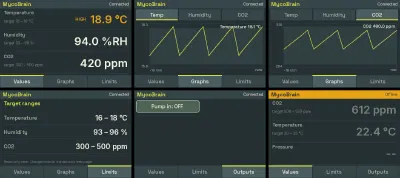
All pages at 480×320, rendered from the mock device.
5. Faster splash after power-on
After power-up the screen stayed dark for about a minute. Measured on the Pi, the display driver loaded late (udev is slow on a single core), the Python start-up was slow, and the backlight waited for a cron job. The fix loads the SPI, I²C, display and touch drivers early, writes a pre-rendered splash without Python, and starts EA's backlight program from systemd. The app now waits for the hardware instead of crashing and restarting.
| Pi time | What happens |
|---|---|
| ~12 s | Drivers load; TFT and touch are up |
| ~13 s | Backlight fades up and the splash is written |
| ~36 s + | The app takes over and shows the dashboard after its first refresh |
Measured with the webcam: dark for about 17 s while the firmware and kernel start, then the splash with the backlight on. Before, it took about 55 s. The old cron line is kept, commented out, for rollback.
6. Setting it up at ZAM
scripts/site_config.py handles the Pi's Wi-Fi and the MycoBrain address, using only the Python standard library. Each place gets a profile file (git-ignored), and the passphrase is hashed on the dev machine so only the hashed key reaches the Pi. Two routes are covered: a setup hotspot, and a wpa_supplicant.conf drop file for the SD card. device find scans the Pi's network for a MycoBrain, which found the lab device in about 22 seconds. A Pi Zero W only does 2.4 GHz, so split-band customer SSIDs need attention. 173 tests passed at the last commit recorded in the notes.
7. Building and flashing the lab MycoBrain
The display needs a board to talk to, so the ESP32 firmware (Chambers_Auto, in the firmware author's repository) had to be built and flashed locally. The review in section 2 had already warned that the committed tree did not look buildable.
Back up first. Before anything was changed, Claude Code took a full 4 MB flash image of the board over USB with esptool. Two separate dumps matched byte for byte (same SHA-256). The chip is an ESP32-D0WD-V3 with 4 MB of flash and with flash encryption and secure boot both off, so the image is plain data and restores normally:
python -m esptool --port COM9 --baud 460800 write_flash 0x0 esp32_backup_full.binThe image can contain the customer's Wi-Fi credentials, so it stays out of any shared repository. It restores the device but cannot be turned back into source code. The Windows Python had esptool 3.0 without pyserial; upgrading to esptool 4.12.0 fixed that, at the cost of changing the global Python packages.
Then build. The first Arduino IDE build stopped on a missing header, SensirionI2cScd30.h. Reading the #includelines showed many more libraries to install: the Sensirion SCD30 and SCD4x drivers, Adafruit ADS1X15, BME680, BMP280, Unified Sensor and BusIO, the AM2315C and SHT31_SW drivers by Rob Tillaart, ArduinoJson, InfluxDB Client, UniversalTelegramBot, and two that are not in the Library Manager (ESPAsyncWebServer with AsyncTCP, and the CCS811 driver). The two Sensirion libraries use different capitalisation (Scd30 in the 1.x naming, Scd4x with a capital C in the older one), and the sketch pins no versions, so a library update can break the build.
The first full compile took about 25 minutes while the ESP32 core was built and cached. Later compiles took a couple of minutes. The sketch uses 1,174,629 bytes, 89% of the 1,310,720 bytes of program storage, and 15% of dynamic memory.
Back to basics. REST changes to the firmware had been started without a proper build underneath them, so they were reverted. The firmware was built on a MacBook Pro first and checked in on 11 October as fix/basic-build. The same day the build moved from the Arduino IDE to arduino-cli behind a Makefile. The README now pins the ESP32 core (3.3.12) and every library version, names the board (ESP32-WROOM-DA) and documents make build, make flash, make monitor and host-side tests that run without hardware. On 13 October the Makefile learned to list the attached boards so the right serial port can be chosen.
One firmware, several sites. A site is one deployment (LAB, ZAM, Mycobrain_12). Non-secret options, such as which sensors are compiled in, alerts, default limits, names and time zone, live in a tracked sites/<SITE>.h. Secrets (Telegram, InfluxDB, Wi-Fi networks) live in untracked headers, and tools/check-no-secrets.sh fails if a secret value turns up in a tracked file. The secrets are compiled into the binary in plain text, so binaries are not shared. make flash SITE=ZAM PORT=<port> builds and flashes one site.
8. Firmware changes that reached the display
The firmware repository has moved on a lot since the first build. These changes matter for the display.
- 15 October: SCD41 as the climate sensor.
/api/statushad been reading sensors that were compiled out, which is why it returned 0. It now reads the SCD41 (the SCD30 is off), and a history sample is stored only after a valid read. Checked on the device over a 31-minute run. - 15 October: quieter alerts. Telegram alerts are limited to one per 30 minutes and are off by default. Before, a message went out every two minutes while a value was out of range.
- 24 to 27 October: several Wi-Fi networks. The unit joins one network from a priority list at power-on and never switches while running, so an outage is not hidden behind a network with no route to the database.
- 27 October: dust sensor. The old SDS011 code could never have worked. It was replaced by a small parser of its own, and PM2.5 and PM10 were added to
/api/status, a streamed/api/historyand a read-only/api/diag. The display shows PM on the Values and Graphs pages when the fields are present. PM has no target range because the firmware has no PM limits. It works on the real screen (photos below). - 28 October: the unit's own web page. Its graphs now draw without internet access and show a correct time axis, and the page title carries the device name.
- 5 to 10 November: stalled climate sensor. The fix is described in the issues below. The firmware now reports
climate_validandclimate_age_s, which the display does not use yet.
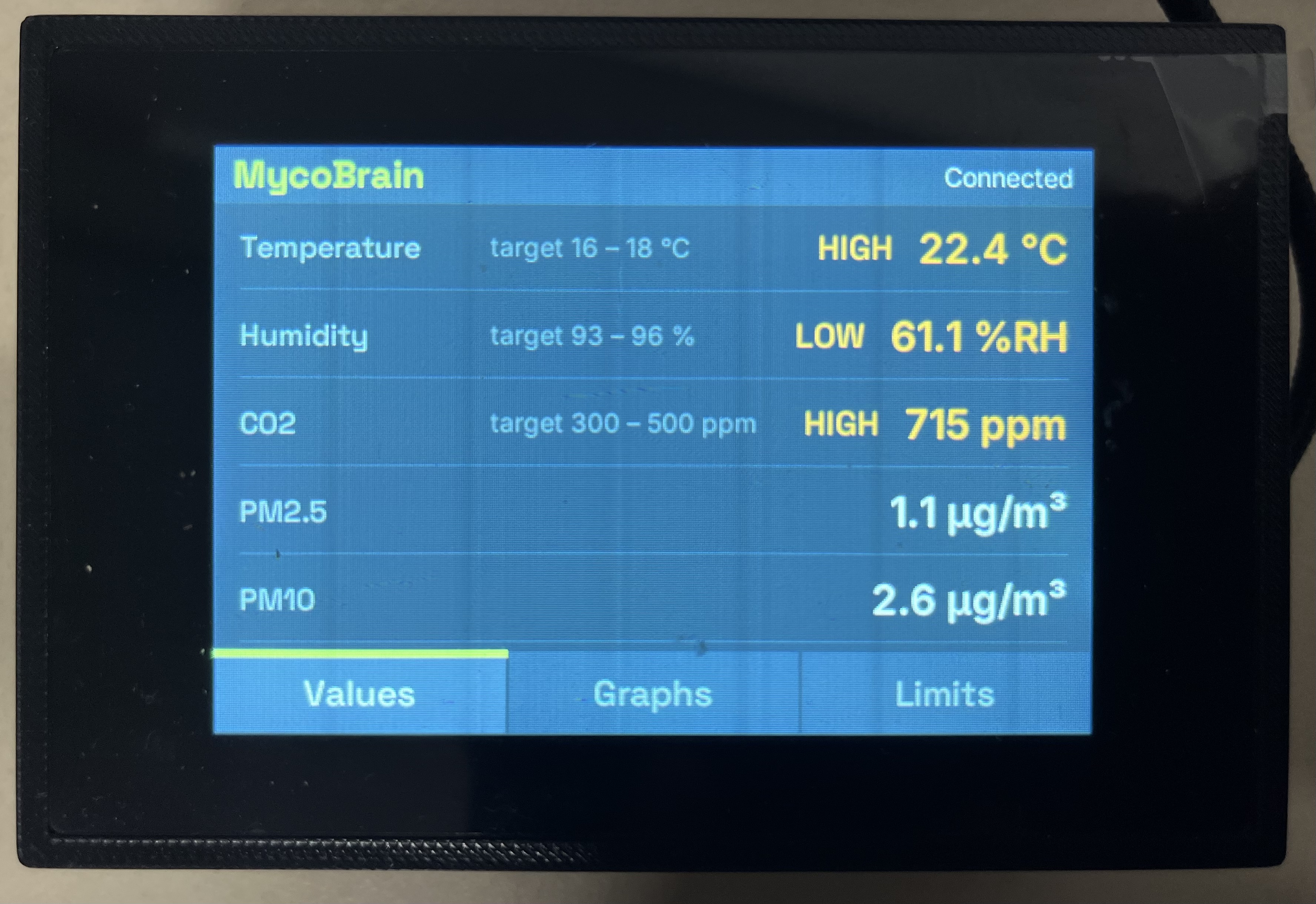
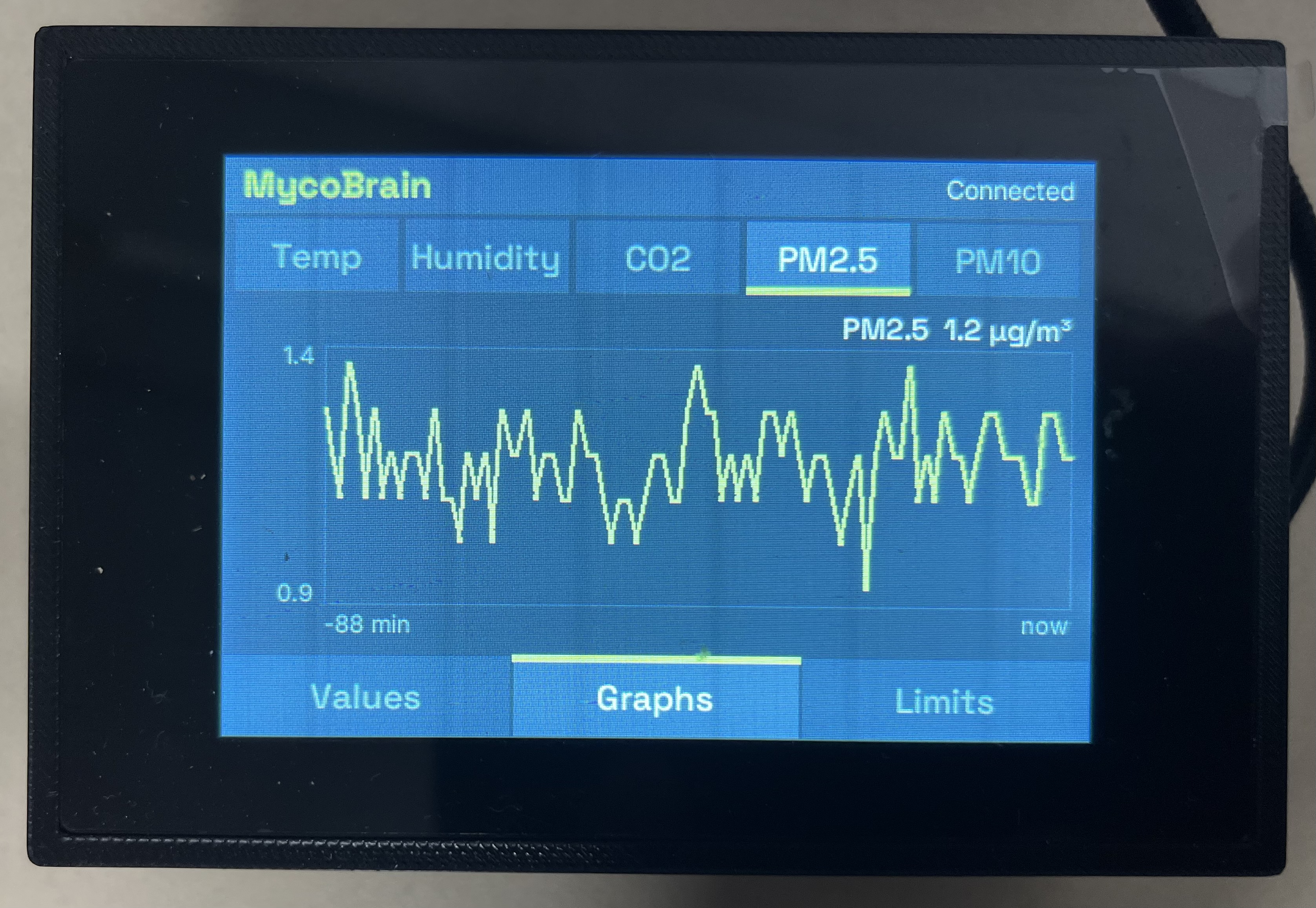
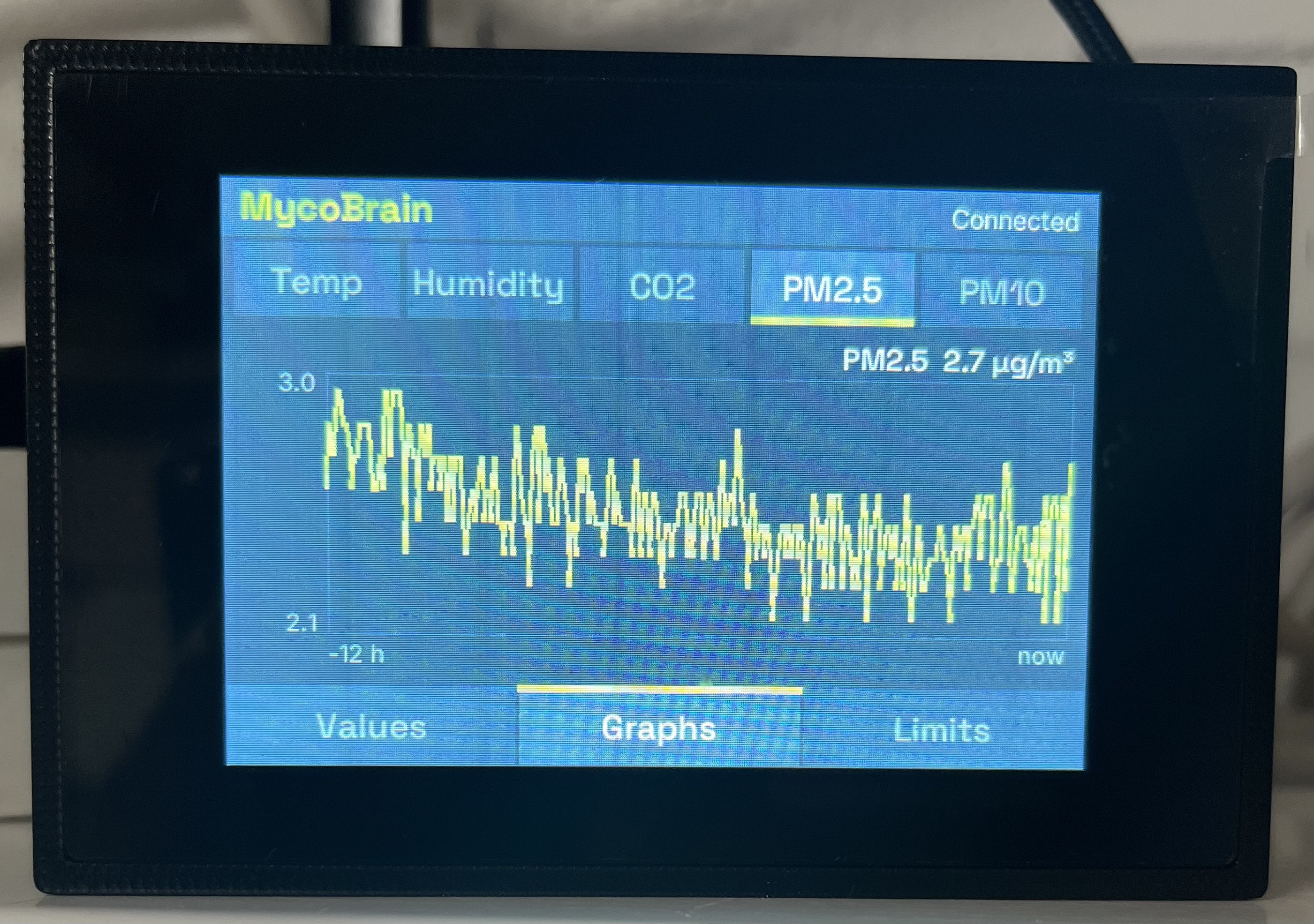
Values: live readings in the printed enclosure. Out-of-range values carry HIGH or LOW in amber, and PM2.5 and PM10 follow the three climate rows without a target range.
Graphs, short span: PM2.5 over the last 88 minutes, with the latest value above the chart.
Graphs, 12 hours: PM2.5 over the full 12 hours the firmware keeps for the dust sensor. The history fills in, so there is no more waiting on "Collecting data...".
9. Enclosure
A 3D-printed enclosure for the Pi Zero and display was designed in FreeCAD. The models are in doc/3dmodel/ and went through 22 numbered revisions of the r2.0 design. The display sits in the top, a removable base is held by 2 mm screws and the glass is recessed flush. The body is 106 × 71 × 40 mm with 3 mm walls. Brass threaded inserts take the screws at the mounting points (9 October), and the platform and Pi mounting posts were lowered on 10 October.
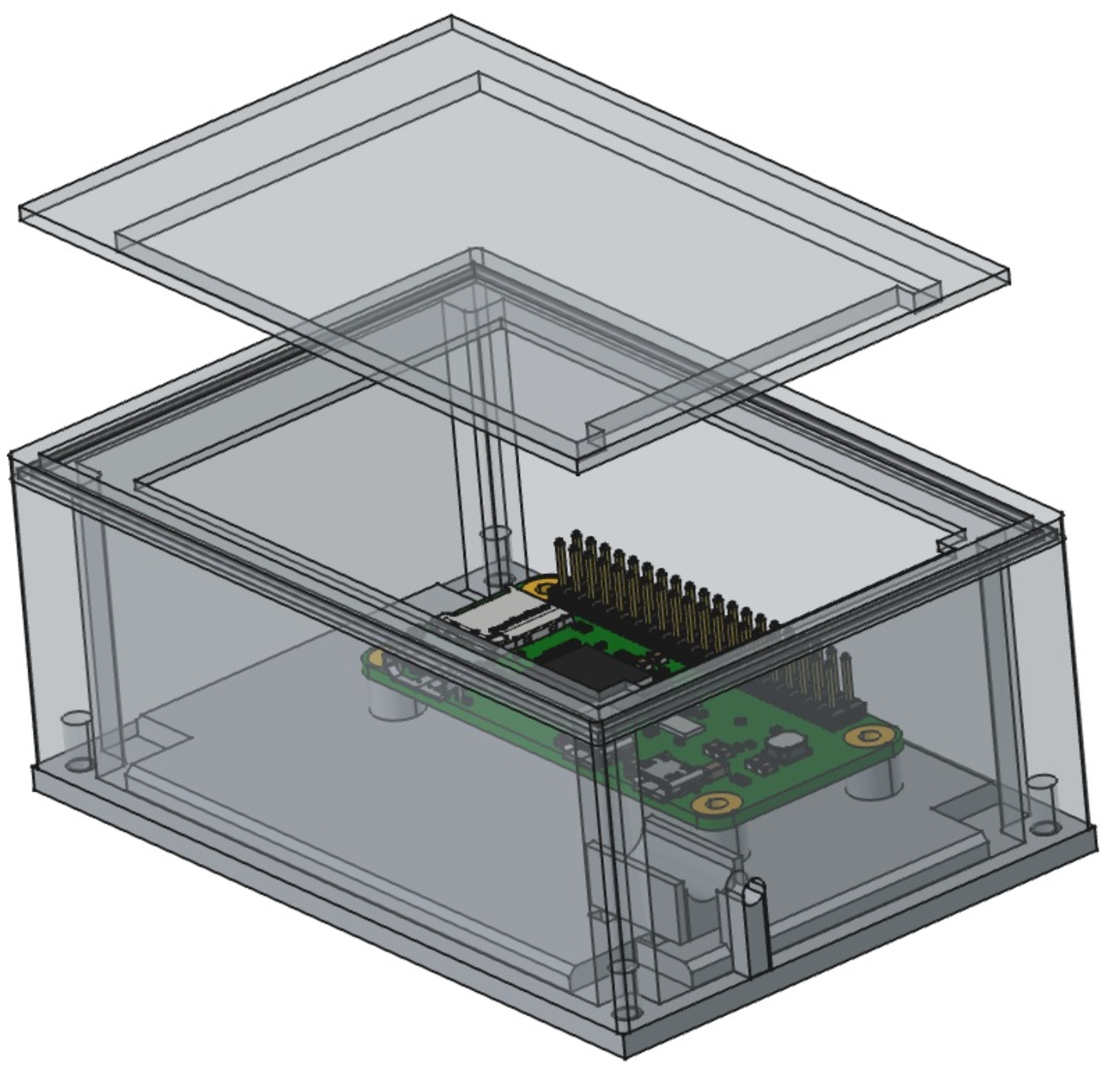
The FreeCAD model: the body with the Pi Zero on its posts and the front plate lifted off.
The one real design question was the power cable. The Pi's micro-USB socket faces a long wall, and the right-angle plug that fits it has a 7 mm barrel about 28 mm long. Rotating the Pi would need about 2 mm more cavity and depends on the display adapter allowing it. Moving the socket flush to the long wall would shift the Pi about 27 mm. The decision on 21 October was to leave the Pi where it is and take the cable out through the end wall. The plug barrel sits in a half-round saddle held by two zip-tie straps and acts as the strain relief, and a U-notch in the end wall with a gate in the base pinches the cable jacket. A FreeCAD macro applies the change to the model.
The parts were printed at ZAM. The first photo shows frame and base parts on the printer bed. The second shows the printed body and base plates with the brass inserts fitted, a Pi Zero on its mounting plate, and the display adapter board.
Enclosure parts on the printer bed.
Printed parts with brass threaded inserts, ready for assembly.
Issues and workarounds
What went wrong along the way, and what was done about it. "Workaround" means the display copes, but the real fix belongs in the firmware or with the customer.
Display and Raspberry Pi
| Issue | Cause | Solution | Status |
|---|---|---|---|
| Touch did not respond at first | The kit's boot jobs (EA's DisplayTest and backlight program) were suspected. The panel is natively portrait. | Backlight job kept, DisplayTest commented out. The app swaps X and Y by default, with flags (--invert-x, --no-invert-y, --no-swap) if the axes come out mirrored. |
Fixed |
| Screen dark for about a minute after power-on | Display driver loaded late (udev is slow on one core), Python started slowly, and the backlight waited for a cron job. | Drivers load early, a pre-rendered splash is written without Python, the backlight starts from systemd, and the app waits for the hardware instead of crash-looping. Splash now appears after about 17 s. | Fixed |
| Rendering differs between the dev machine and the Pi | Pillow 8.1 on the Pi is older and cannot drive variable-font axes. | Avoid newer ImageDraw calls. Generate static, Latin-only font instances. | Workaround |
| Webcam photos washed out | A lit screen fools auto-exposure. | Manual exposure (default -7) in the capture script. | Fixed |
| Wi-Fi differs at every site | The Pi Zero W only does 2.4 GHz, and the project lives on a Windows drive where file permissions cannot be set. | site_config.py with a setup hotspot or an SD-card drop file. It warns about loose profile permissions, and --sites-dir keeps profiles elsewhere. Watch for split-band SSIDs. |
Fixed |
| Scripts tied to one Pi address and to Windows | The deploy, demo and install scripts had the Pi's host name written in, and the capture and early-splash scripts assumed Windows or Linux tools. | PI_HOST or .site/pi-host sets the address. capture_cam.py and early-splash.sh (now gzip -dc) also run on macOS. |
Fixed |
| No "sensor stalled" message on the display | The display only sees the newest sample, so a stalled sensor looks the same as a slow one. With a healthy sensor the graphs fill normally, as the photos show. | Show "Sensor stalled" when the firmware's climate_age_s passes 180 s. |
Open |
Firmware and API
| Issue | Cause | Solution | Status |
|---|---|---|---|
Live device has no /api/v1 |
The deployed firmware only has the original routes. | The client probes /api/v1/info and falls back to /api/status and /api/history. The Outputs page stays hidden. |
Fixed |
| Readings of 0 before the first sample | The firmware reports a missing value as 0, and temperature and humidity come from a disabled SHT30 that is never initialised. | If all three readings are exactly 0 the display shows "--". Firmware from 15 October reads the SCD41 as its primary climate sensor and stores no false 0/0/0 first sample. | Fixed |
| History truncated or without a clock | A fixed 8 KB JSON buffer, and timestamps in milliseconds since boot. | The Graphs page shows "History unavailable" on bad JSON and shows ages relative to the newest sample. Firmware from 27 October streams the history, so truncation is gone there. | Fixed |
| MycoBrain address changes per network | DHCP, no mDNS, and the ESP32's Wi-Fi is compiled into the firmware. | Re-flash for the customer network, then device find scans for the new address. A DHCP reservation or a name like chambers.localwould remove the problem. |
Workaround |
| Firmware did not build | A half-finished refactor in the committed tree, unpinned libraries with inconsistent naming, and a 25-minute first compile. | Revert the REST changes, build a known-good revision, install the library list, then move to arduino-cli and a Makefile. |
Fixed |
| Secrets in the firmware source | Wi-Fi password and Telegram and InfluxDB tokens were committed in plain text. | Non-secret options live in a tracked sites/<SITE>.h, secrets and Wi-Fi networks in untracked headers, and tools/check-no-secrets.sh fails if a secret appears in a tracked file. Secrets are still compiled into the binary in plain text, so binaries are not shared. Tokens that were ever committed should still be rotated. |
Workaround |
| Temperature, humidity and CO₂ history stopped for days | On one unit with an SCD30 next to the dust sensor, those series held one sample for 154 hours while the PM series kept rolling. Failed reads were not counted, and the first value kept being used. The cause is not confirmed. Supply, ground or the I²C bus are the likely suspects. | The firmware now counts failures, treats readings older than 180 s as stale, clears the bus and restarts the sensor after 3 failed reads, defaults I²C to 100 kHz with an SCD30, and shows a stale badge on its web page. Merged on 10 November. | Workaround |
| Graphs on the unit's own web page were empty | Chart.js came from a CDN, which fails without internet, and the time values were strings on a linear axis. | Self-contained canvas charts with a wall-clock time axis and no external requests. | Fixed |
| Dust sensor code could not work | A null pointer, a library written for other chips, and failed reads that stored uninitialised values. | A small parser of its own with host tests. Nothing is stored without a valid frame, and /api/diag shows the frame counters so the sensor can be checked without a USB serial log. |
Fixed |
| One Wi-Fi network compiled in | A new site meant a new build. | Several networks in an untracked secrets/wifi.h, joined in list order at power-on and never switched at runtime. Confirmed working on hardware. |
Fixed |
| History memory grows over time | The three climate series grow by doubling (about 32 KB each after 34 hours), and a failed allocation reboots the unit. | Reserving the memory at boot is planned, after a 48 to 50 hour soak test on the bench. | Open |
On deployment in the Fungarium lab, Wi-Fi was the first issue, and then the display's configuration files needed adjusting.
Built from the display repository (README, PROJECT_TRACKING.md, doc/, git history, photos of the rig), the firmware repository (README, HANDOFF.md, git history), the ZAM wiki page on this project, and the Mycobrain project notes. Firmware repository: ZAM_Mycobrain. Customer: Fungarium.